Walmart Connect Advertiser ID & Integration Guide
Follow these steps to locate your Advertiser ID and grant the necessary API permissions for your Profit Cyclops integration:
Step 1: Navigate to Account Management
From your Walmart Connect Ad Center dashboard:
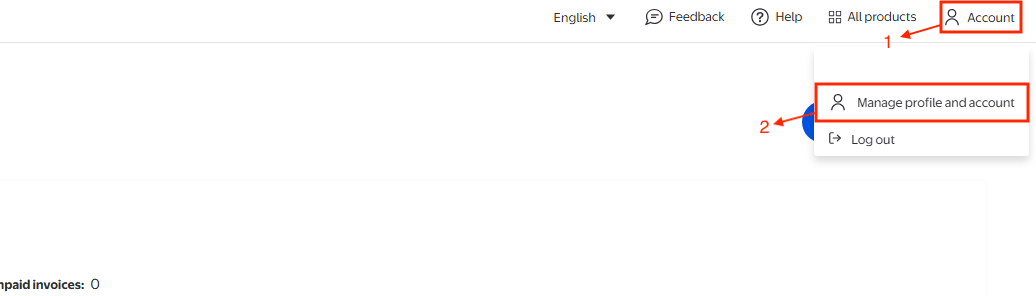
1- Click on the Account icon in the top right corner.
2- Select Manage profile and account from the dropdown menu.
Step 2: Add Profit Cyclops as a Partner
Within the Account Management screen:
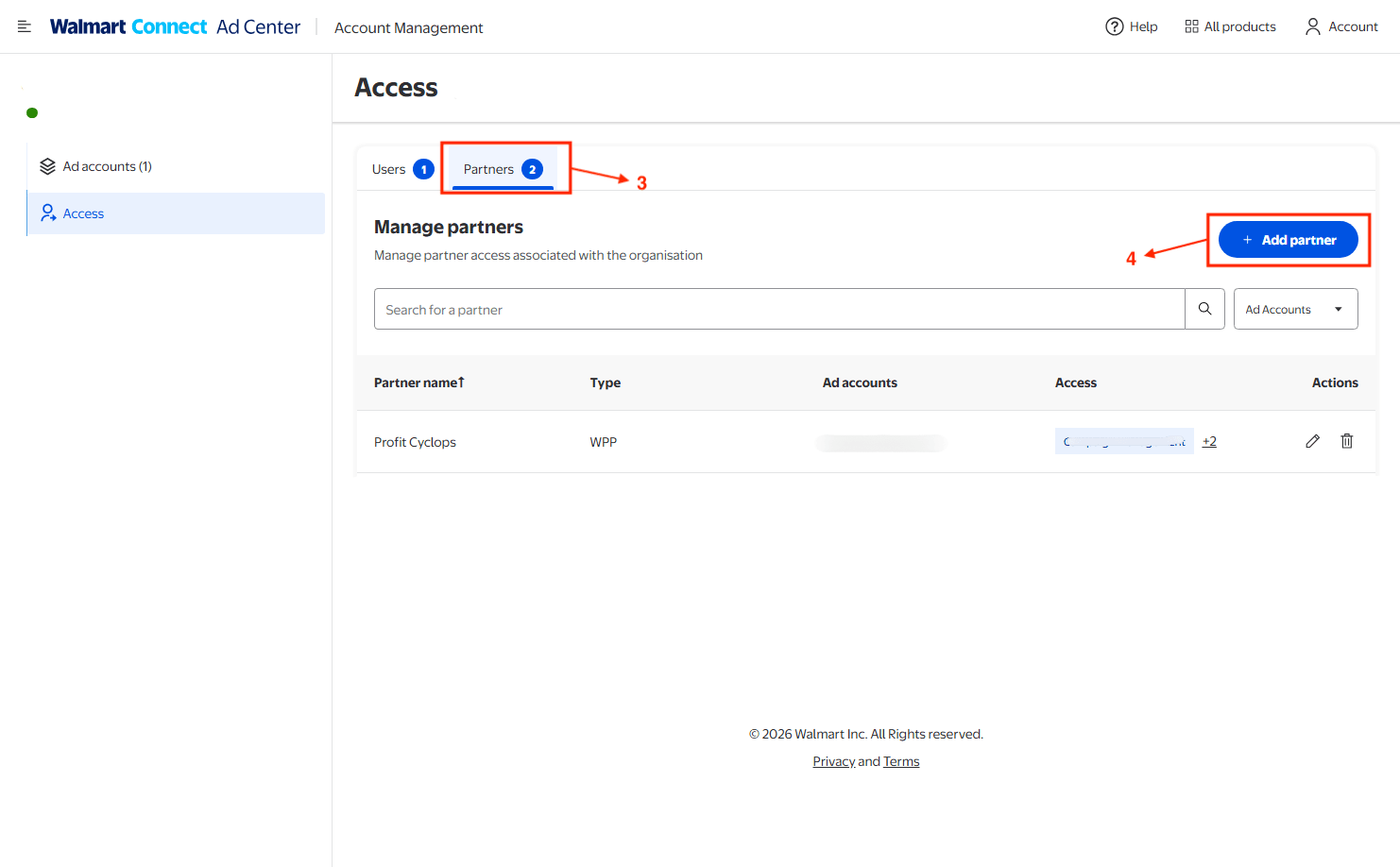
3- Go to the Access tab on the left sidebar and select the Partners tab at the top.
4- Click the blue + Add partner button on the right side.
- Search for and add Profit Cyclops as your technology provider.
Step 3: Configure API Access Levels
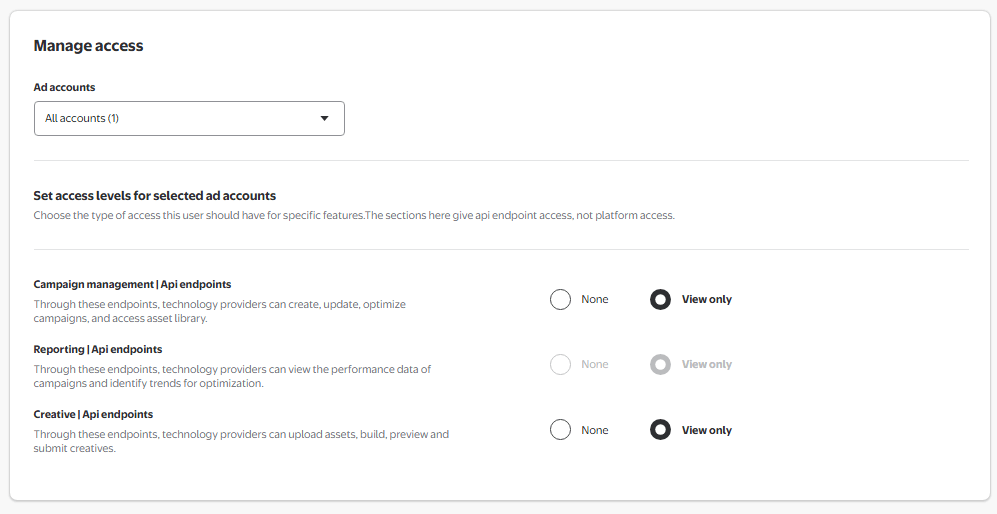
To ensure data flows correctly into Profit Cyclops, configure the access levels in the Manage access screen as follows:
- Campaign management | Api endpoints: Set to Edit
- Reporting | Api endpoints: Ensure this is at least View only
- Creative | Api endpoints: Set to Edit
Step 4: Locate Your Advertiser ID (Profile ID)
After navigating to the Account Management screen, follow these steps to find the ID required for Profit Cyclops:
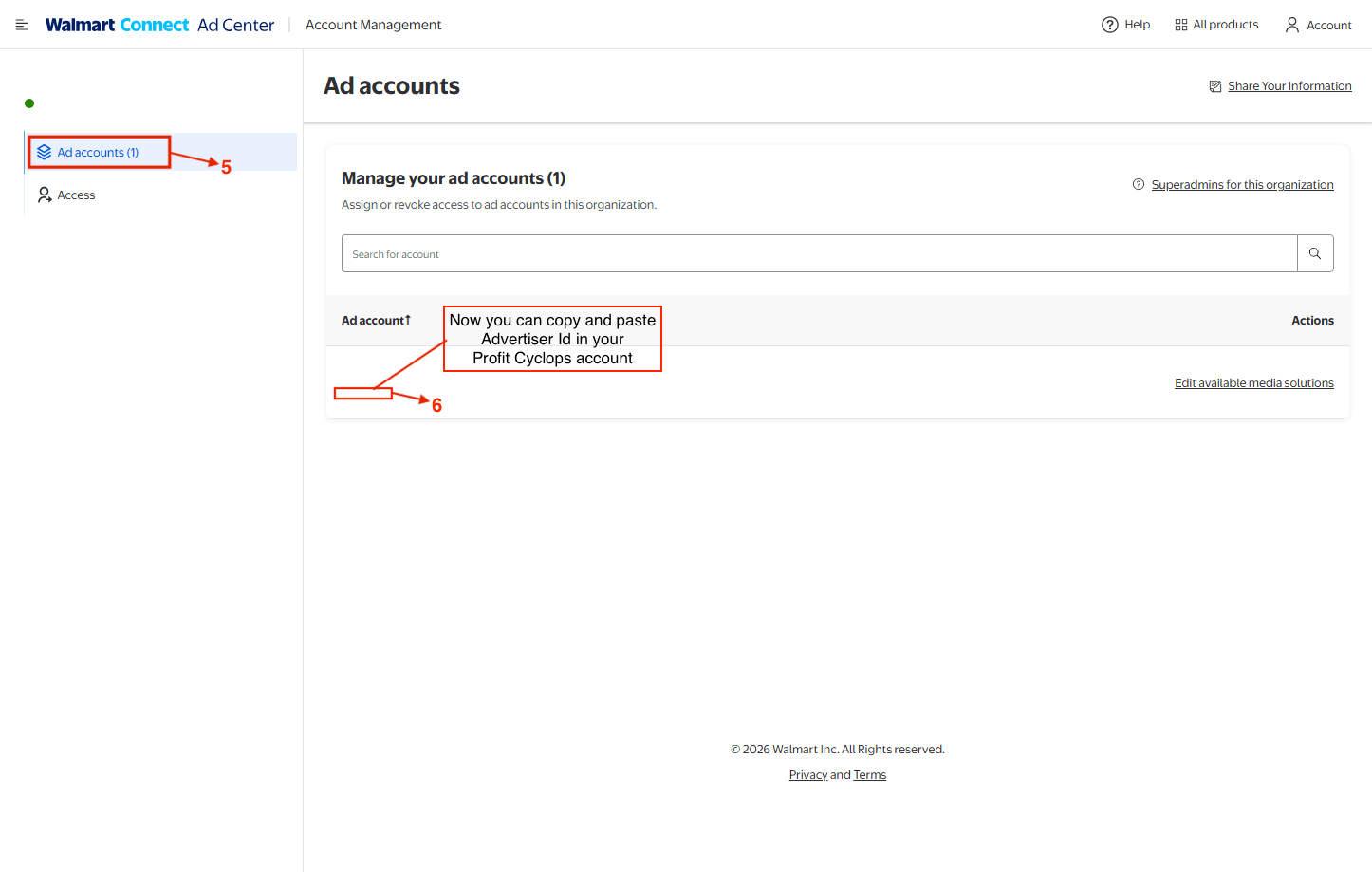
5. Click on the Ad accounts tab located on the left-hand sidebar.
6. Your Advertiser ID is the 6-digit number displayed on the left side of the account row.